Quickstart
Get OneTool running in under 2 minutes.
1. Install uv
OneTool requires uv - a fast Python package manager.
# macOS/Linux
curl -LsSf https://astral.sh/uv/install.sh | sh

# Windows
powershell -ExecutionPolicy ByPass -c "irm https://astral.sh/uv/install.ps1 | iex"
2. Install OneTool
3. Initialize
An interactive TUI opens. Select the extensions you want (prompts, servers, security rules, diagram config, snippets, worktree config). Press space to toggle, enter to confirm.
This creates ~/.onetool/onetool.yaml with include: entries for your selected extensions.
4. Set Up Secrets
Edit ~/.onetool/secrets.yaml to add your API keys:
# Brave Search API
# Get your key at: https://brave.com/search/api/
# BRAVE_API_KEY: "your-brave-api-key"

# OpenAI API (for transform tool with OpenAI models)
# Get your key at: https://platform.openai.com/api-keys
# OPENAI_API_KEY: "sk-..."

# OpenRouter API (for transform tool with multiple providers)
# Get your key at: https://openrouter.ai/keys
# OPENROUTER_API_KEY: "sk-or-..."

# Google Gemini API (for grounding search)
# Get your key at: https://aistudio.google.com/apikey
# GEMINI_API_KEY: "AIza..."

# Context7 API (for library documentation)
# Get your key at: https://context7.com/
# CONTEXT7_API_KEY: "ctx7sk-..."

# Anthropic API
# Get your key at: https://console.anthropic.com/
# ANTHROPIC_API_KEY: "sk-ant-..."

# GitHub token for GitHub MCP server
# Get your token at: https://github.com/settings/tokens
# GITHUB_TOKEN: "ghp_xxxxxxxxxxxxxxxxxxxx"
Uncomment and add keys for the tools you want to use.
5. Validate
This checks your configuration is correct.
6. Connect to Claude Code
claude mcp add onetool -- onetool --config ~/.onetool/onetool.yaml --secrets ~/.onetool/secrets.yaml
Or manually add to ~/.claude/mcp.json:
{
  "mcpServers": {
    "onetool": {
      "command": "onetool",
      "args": ["--config", "/Users/yourname/.onetool/onetool.yaml", "--secrets", "/Users/yourname/.onetool/secrets.yaml"]
    }
  }
}
7. Verify Connection
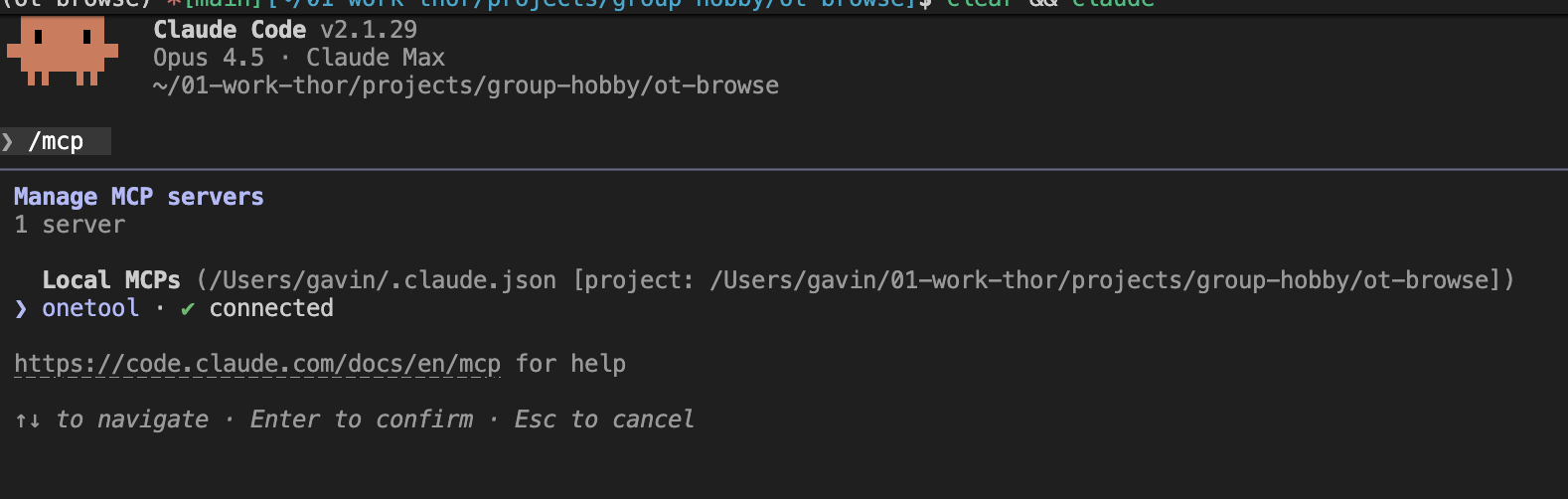
Start Claude Code and run /mcp. You should see OneTool listed as a connected MCP server.
8. Use It
Try a simple health check:
Or use a prompt like this to ask the agent to help you use OneTool. Note: the ubad= parameter is intentional to demonstrate how OneTool handles errors.
Issue each command, one at a time.
Before each command explain what you are doing so it is easy for the new OneTool user to follow what you did and why. Use 🧿 to highlight these explanations.
After each command output ✅ and the results of the call or ❌ and the error or issue. Provide a readable snippet of the results.
Use OneTool ot.help() with info="full" to understand how best to use OneTool tools.
Finally, list all OneTool commands used.

Commands:
>>> ot.health()
>>> ot.help()
>>> ot.help(q="webfetch.fetch", i="full")
>>> webfetch.fetch(ubad="https://onetool.beycom.online/")
>>> webfetch.fetch(u="https://onetool.beycom.online/")
>>> $pkg_npm packages=react,typescript
That's it.
🧿 One MCP for developers - No tool tax, no context rot. 100+ tools including Brave, Google, Context7, Excalidraw, AWS, Version Checker, Excel, File Ops, Database, Playwright, Chrome DevTools and many more.