About OneTool
Written: January 2026
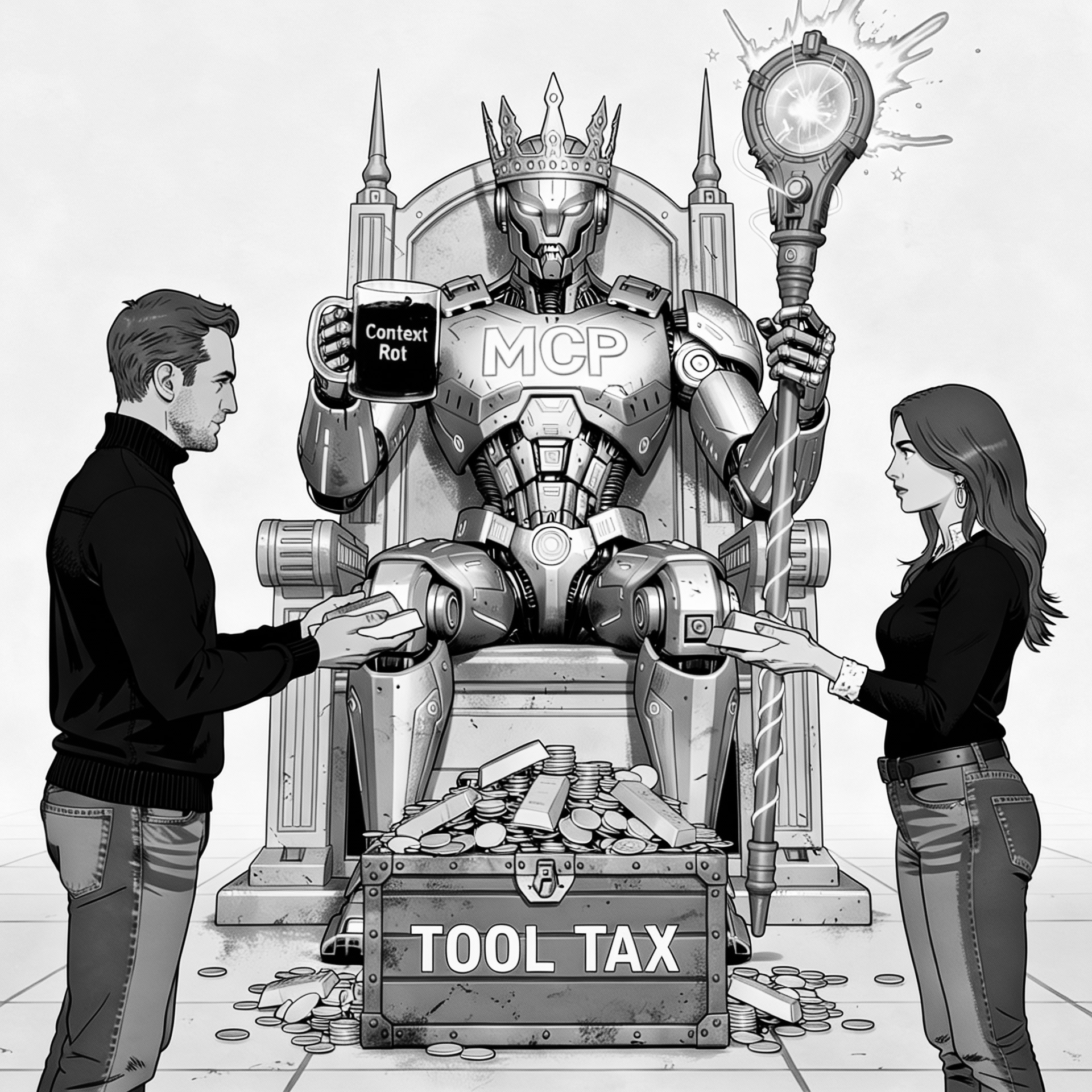
MCP is Dead. Long Live MCP.
The Kingdom
By the end of 2025, MCP was the King. Every developer is using AI to build software now — from vibe coding to agentic engineering — and we’re producing more software than ever before.
And MCP servers are the current kings of AI coding. MCP servers are remarkable: they extend your agent's capabilities into virtually any domain. With nearly 8,000 servers available on PulseMCP and every major vendor releasing their own server, most developers already have three or four registered. Some have dozens.
But here's the problem: all kings collect taxes.
The King's Tax
Using an MCP server comes with two significant problems.
Tool tax
Like the kings of old, MCP servers rob the poor (you and me) and give the money to the rich (the AI giants like OpenAI, Microsoft and Anthropic). Each MCP server consumes between 3K and 30K (looking at you, GitHub MCP!) tokens per request. Every single request.
This happens because the agent reads all the MCP server instructions for every configured tool on every request. These "tool tokens" can easily cost a full-time engineer $30 per MCP server per month — even if they never use them.
The maths is brutal: If you're using Claude Opus 4.5 at $5 per million input tokens — 20 days × 10 conversations × 10 messages × 3K tokens = 6 million input tokens = $30 per MCP server per month in tool tax. Monthly. For nothing.
Just read, innocently, Code execution with MCP: Building more efficient agents, where Anthropic openly stated: "This reduces the token usage from 150K tokens to 2K tokens — a time and cost saving of 98.7%."
Context Rot
And then there's context rot — the phenomenon where the agent's performance degrades as the context window fills (Chroma Research, 2025). Every tool description pushes valuable conversation history out of the context window. Your AI literally gets dumber as you add more tools.
The Genesis
Theo - t3.gg had been shouting about MCP's flaws for months. I binge-watched his takedowns (see References) and realised he was right. The question wasn't whether MCP was broken. It was how to fix it.
The problem was clear, yet nobody was building a simple, viable solution.
I was excited when Anthropic (the creators of the MCP standard) published Code execution with MCP: Building more efficient agents (advanced tool use), which clearly identified the issue. However, their solution was horrible — the "Tool Search Tool". They essentially doubled down on the MCP server tool tax, compounded by patchy client support across AI vendors and their multitude of products.
The next solution I looked at was the Docker MCP Gateway. However, it was so convoluted and limited that I was (almost) happy to pay the tool tax.
As a result, I limited myself to the absolute bare minimum: three MCP servers — web search, package version checks, and Context7. One of the biggest issues with agentic engineering is that technology changes so quickly that the model’s knowledge is frozen at its training cut-off date. For example, code I wrote frequently failed because my AI coding buddy (GPT-5.2) replaced the GPT-5.2 model with GPT-4o (released in May 2024) because it was convinced GPT-5.2 did not exist.
So I was stuck: I needed MCP servers to work efficiently, but I didn't want to pay the tool tax or suffer from context rot.
Eureka
It all came together on a train trip to work. I wasn’t trying to overthrow MCP — it was the king, and it was very useful. I just wanted it to paying tax for tools I wasn’t even using.
I’d kept my setup lean, but the moment I wanted to do serious work — browser automation, devtools, GitHub — I could feel the trap closing: more servers meant more capability, and more capability meant more tool tax and more context rot.
And then it clicked.
I am a developer. I work with code. My AI coding buddy (Claude Opus 4.5 at the time) was amazing at coding. Together we could write code to call tools instead, just like Anthropic proposed in their article!
What if Claude used code to call tools? What if tools were just code?
And so OneTool was born — One MCP, many tools.
To quote Gandalf the Wise:
After six weeks of part-time hacking, vibing, coding and agentic engineering (which may be a topic for another time), I released OneTool 1.0.0).
OneTool
The core idea: stop making agents "call tools". Let them write code.
MCP servers expose tools to agents with detailed instructions on how to use the tool. The agent reads all these instructions and then selects the right tool. It's like reading the documentation for every Python library in your project, then writing: print("Hello World").
So I tried something different. I converted the tools into a developer-friendly API, then asked an agent to write code snippets that call the APIs.
The results were striking.
Using this approach, agents could handle unlimited tools without paying the tool tax or suffering from context rot. But the goodness didn't stop there. Tool calls were now explicit. No more begging the agent, "please search the web for the latest React docs" — you could just use brave.search(query="latest react docs 2025"). Tool calls could be batched, chained, included inside loops, and used just like any other code.
OneTool: the only MCP server you will ever need
OneTool is the one and only MCP server you need to configure. No matter how many tools you use, you only need one MCP server.
MCP stays king. You just stop paying the tool tax on every request.
This results in 96% fewer tokens, 30× lower cost, and improved accuracy.
And yes — like any engineer — I couldn't help engineering a few party tricks along the way.
OneTool party tricks
No more guessing
Write Python like: >>> brave.search(query="latest react docs 2025")
You can see exactly what runs. No tool-selection guessing. No non-deterministic behaviour. No more guessing what the agent actually searched for.
Great Developer Experience (DX)
If you're now coding in your agent prompt, you need powerful snippets for reusable code templates with Jinja2 substitution, aliases for common tools, and an easy way to configure them (in a single, well-structured YAML file).
You'll also get tired of typing query="...", so I added smart parameter prefixes: use q instead of query, p instead of pattern. Any unambiguous prefix works.
Batteries included: 100+ tools
OneTool includes 100+ tools including Brave, Google, Context7, Excalidraw, AWS, Version Checker, Excel, File Ops, Database, Playwright, Chrome DevTools and many more.
It even has "Smart Tools" - LLM-powered transformation. Delegate work to cheaper LLMs instead of using your expensive AI coding agent. For example: fetch a page, summarise it with Gemini-3-Flash ($0.50/M input tokens), then pass the result back to Claude Opus 4.5 ($5/M input tokens). That's a 10× saving.
Normally, with great power comes great configurability challenges.
However, OneTool keeps it simple and consistent with sensible defaults: a single, well-structured YAML config, with global and project scopes, and per-tool-pack configuration (timeouts, limits, models, etc).
You also get a range of meta tools to help with the coding aspects, plus structured logging and runtime statistics to track tool calls, success rates, tokens saved, and cost estimates.
Security: powerful, with guardrails
OneTool is built for developers. It's very powerful - so knowledge is your greatest protection. However, OneTool still includes multiple layers of security:
- Isolated
secrets.yaml- so you can share your configuration without leaking secrets - Allowlist-based code validation - blocks everything by default, explicitly allows safe builtins, imports, and calls
- Path boundaries - ensures file operations are constrained to allowed directories, handles symlink resolution, and honours sensitive exclusions
- Output sanitisation - protection against indirect prompt injection via external content wrapping and sanitisation
Extensible: build your own tools (and bring your existing MCP servers)
Every developer loves plugins, extensions, and ways to make tools even better. OneTool is highly configurable and extensible.
- Scaffold tools - enables you and your coding agent to build new tools as part of the conversation. New tools are just Python functions. Check out the demo of Claude building a Wikipedia fetcher in under three minutes.
- MCP server proxy - allows you to wrap any MCP server with OneTool, configure it with YAML, and call it explicitly - without the tool tax and context rot.
Testing, benchmarking, and proper engineering
To make it easy to develop new tool packs (groups of tools), OneTool includes a powerful testing and benchmarking harness that compares your tool against other MCP servers using a real LLM. Define tasks in YAML and get objective metrics: token counts, costs, accuracy scores, timing, and more.
OneTool was written with strong engineering practices:
- 1,200+ tests (smoke, unit, integration tiers)
- OpenSpec as a change proposal process (specs before code)
- Python best practices: type hints, Ruff formatting/linting and other Python best practices
Give it a try (without paying the tax)
If AI is the kingdom and MCP is king, then OneTool will help you stop paying the "tool tax" (around $30 per MCP server per month), avoid context rot, and unlock superpowers for you and your AI coding buddy.
Keep the king. Stop the tax.
Download and install it, and give your agentic engineering the boost it needs.
🧿 One MCP for developers - No tool tax, no context rot. 100+ tools including Brave, Google, Context7, Excalidraw, AWS, Version Checker, Excel, File Ops, Database, Playwright, Chrome DevTools and many more.
References
Articles and research
- PulseMCP
- Chroma Research (2025): Context rot
- Anthropic: Code execution with MCP: Building more efficient agents
- Anthropic: Code execution with MCP: Building more efficient agents (advanced tool use)